
 Get Started Free
 Discover Which Plan Works Best for Your Team
The same license will give you access to both XL-Connector and XL-Connector 365.
 Subscribe
 For Salesforce admins and devs who need a powerful toolbox in Excel

Free
Explore the essentials of XL-Connector to simplify your Salesforce data work. Export an unlimited number of reports and data via SOQL
Free for everyone
-
Export reports from Salesforce.com (with a 2,000 row-limit)
-
Pull any data from Salesforce.com using SOQL
-
Refresh data from Salesforce.com in one sheet at a time

Team Player
Enjoy Faster, more efficient Salesforce to Excel bidirectional data workflows, providing all the necessary safety mechanisms and preserving data integrity
Everything in the Free plan, plus
-
Refresh data from Salesforce.com in all worksheets with one click
-
Create/Update/Delete data in SFDC based on a flows created and controlled by the admin
-
Automate XL-Connector functions with VBA
-
Accounting Seed integration

Enterprise Admin
Centralized admin features for secure, large-scale Salesforce data and metadata management.
Everything in Team Player, plus
-
Export reports from Salesforce.com with a 3,000,000 record limit per hour across your whole org.
-
Mass Create/Update/Delete Records
-
Use the “Reports to SOQL” Converter tool
-
Query Salesforce.com database to fill gaps in Excel data row by row
-
Mass-merge Contacts, Accounts, and Leads
-
Mass Convert Leads
-
Create templates that make mass data manipulation in Salesforce a breeze for non IT users
-
A variety of tools to help Salesforce administrators in their day-to-day work:
-
Salesforce Fields Manager
-
Field-Level Security Manager
-
Layout Analyzer
-
List View manager
-
Field Utilization Calculator
-
Picklist Values Manager
-
Validation Rules Manager
-
Workflow Rules Manager
-
Custom Metadata Manager
-
Flows and Processes manager
-
Picklists manager
-
Fields manager
-
Field-level Security manager
-
Object Access manager
-
Tab Visibility manager
 Pricing
Compare Our Plans
| Content | Free | Team Player | Enterprise Admin Popular |
|---|---|---|---|
| Data Export |
|
|
|
| Data Import |
|
|
|
| Dynamic SOQL query Builder |
|
|
|
| Salesforce Reports Export |
|
|
|
| Merge Records |
|
|
|
| Mass delete records |
|
|
|
| Undelete records |
|
|
|
| Mass update/ create / upsert records |
|
|
|
| Convert Id's |
|
|
|
| Convert Leads |
|
|
|
| XL-Connector flows |
|
|
|
| Filling Gaps in Excel row by row |
|
|
|
| File/Attachment upload and download |
|
|
|
| Accounting Seed Integration |
|
|
|
| Metadata tools |
|
|
|
| VBA |
|
|
|
| Multiple Accounts support |
|
|
|
| Open record in Salesforce |
|
|
|
| Printable View Report Export |
|
|
|
| Rich text field export |
|
|
|
| Access to features managed from Customer portal by Account Manager |
|
|
|
| Error report on data loading operations |
|
|
|
| Dedicated support |
|
|
|
| Licence Type | Unlimited | Unlimited | Unlimited |
Supercharge Your Workflow
Get Started in Seconds
Try our powerful Salesforce data tools for free or upgrade for full access. Simplify data management and boost efficiency today!
No credit card required.
 We’ve Got Answers
Frequently Asked Questions About Xappex & Salesforce Integration
What’s the difference between XL-Connector ( COM add-in) and XL-Connector 365?
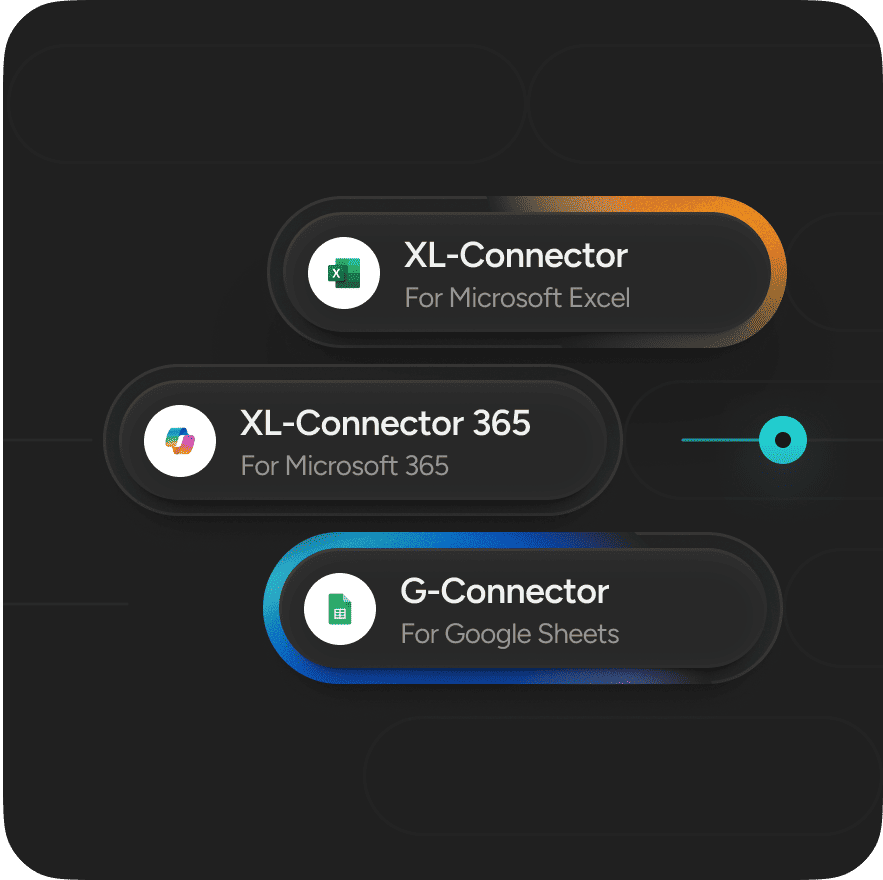
XL-Connector and XL-Connector 365 are both included under the same license, allowing licensed users to take advantage of either product at no additional cost. XL-Connector is a Windows desktop add-in for Microsoft Excel that is installed locally. It offers a comprehensive suite of Salesforce administration tools, making it the preferred choice for advanced Salesforce administrators, consultants, and power users.
XL-Connector 365 is a cloud-based application that works seamlessly with Excel for Windows, Excel for Mac, and Excel Online. Because it runs in the cloud, it enables scheduled data imports and exports to continue even when your computer is turned off.
Both products provide powerful capabilities for importing, exporting, updating, and reporting on Salesforce data. While they share the same core functionality, each is designed to support different workflows and use cases, allowing you to choose the solution that best fits your needs.
Does Xappex offer a free trial?
Yes. You can try the premium plan of Xappex products for a 14-day free period before purchasing a subscription. After this period ends you'll automatically be moved to the free plan.
What security standards does Xappex follow?
Xappex follows the SOC 2 (System and Organization Controls 2) framework to ensure our services meet high standards for security, availability, processing integrity, confidentiality, and privacy. Our security program includes independent third-party audits, strong encryption, and data protection practices designed to help customers meet compliance requirements, including GDPR.
Can Xappex access my company data?
No. Xappex does not store or have access to your Salesforce data. Data is transferred securely between your spreadsheet and Salesforce using Salesforce’s APIs, and Xappex does not retain your business data on its servers.
Where can I manage my licenses, billing information, and payments?
You can manage your subscriptions through the Xappex Customer Portal. From there, you can update your billing information, change your subscription plan, add or remove licenses, view invoices, and manage your payment details—all through a simple self-service interface.
Is there a discount for annual subscriptions?
Is there a discount for annual subscriptions?
Is there any discount for nonprofit organizations?
Xappex offers one free license for All Xappex Products for nonprofits (XL-Connector Enterprise Admin and G-Connector Full Premium edition). Additional licenses are available at $240 each.
Do you offer discounts for nonprofit organizations?
Yes. Eligible nonprofit organizations receive one free license for All Xappex Products, which includes XL-Connector Enterprise Admin and G-Connector Full Premium plans that offer the broadest functionality. Additional licenses are available at a discounted price of $240 per license.